

Bulk Delete Microsoft Copilot Chats
A fast, privacy-first browser extension for cleaning up your Copilot conversation history.
No trackingNo telemetryNo external servers
See it in action
A cleaner Copilot sidebar
Walk through the extension step by step.
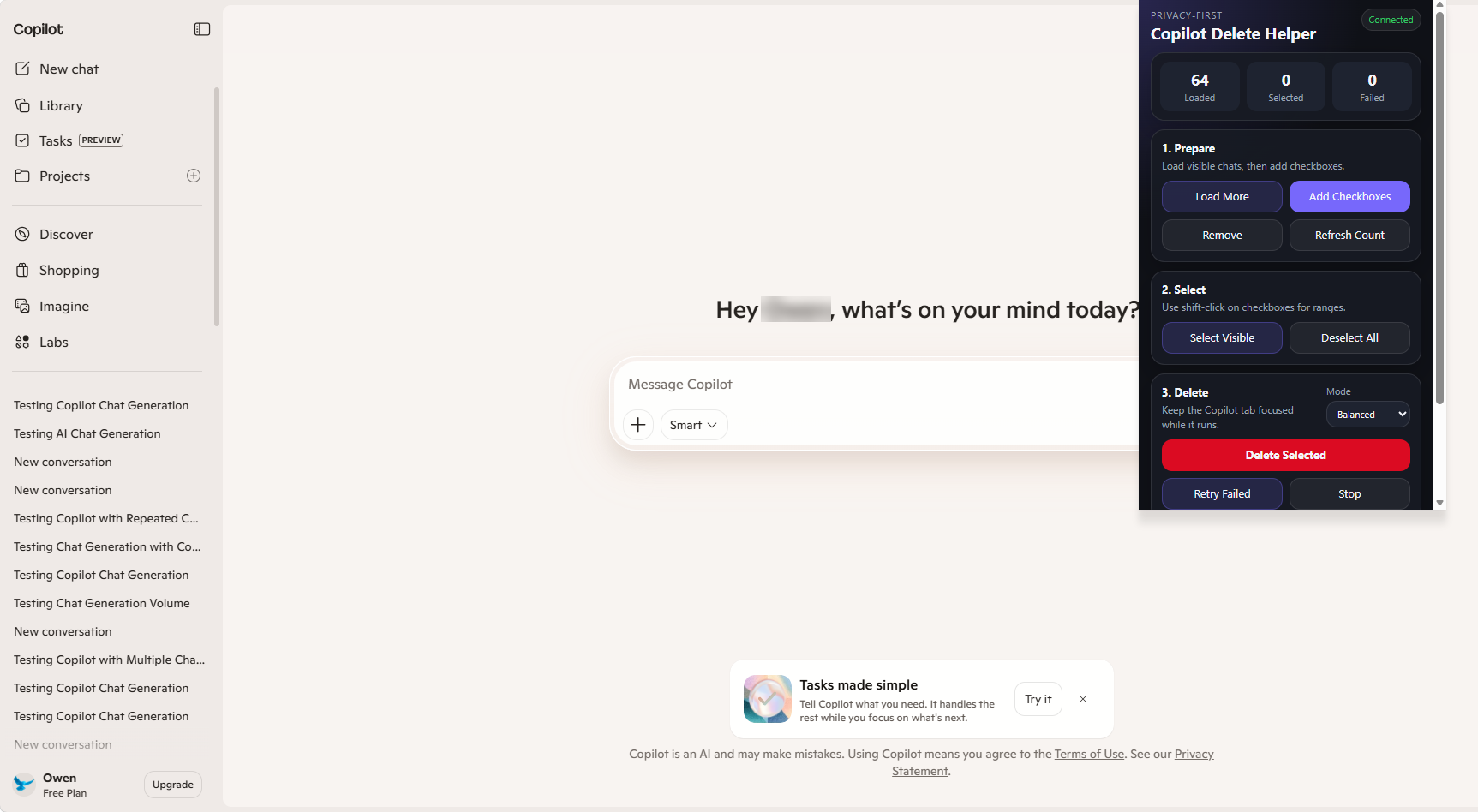
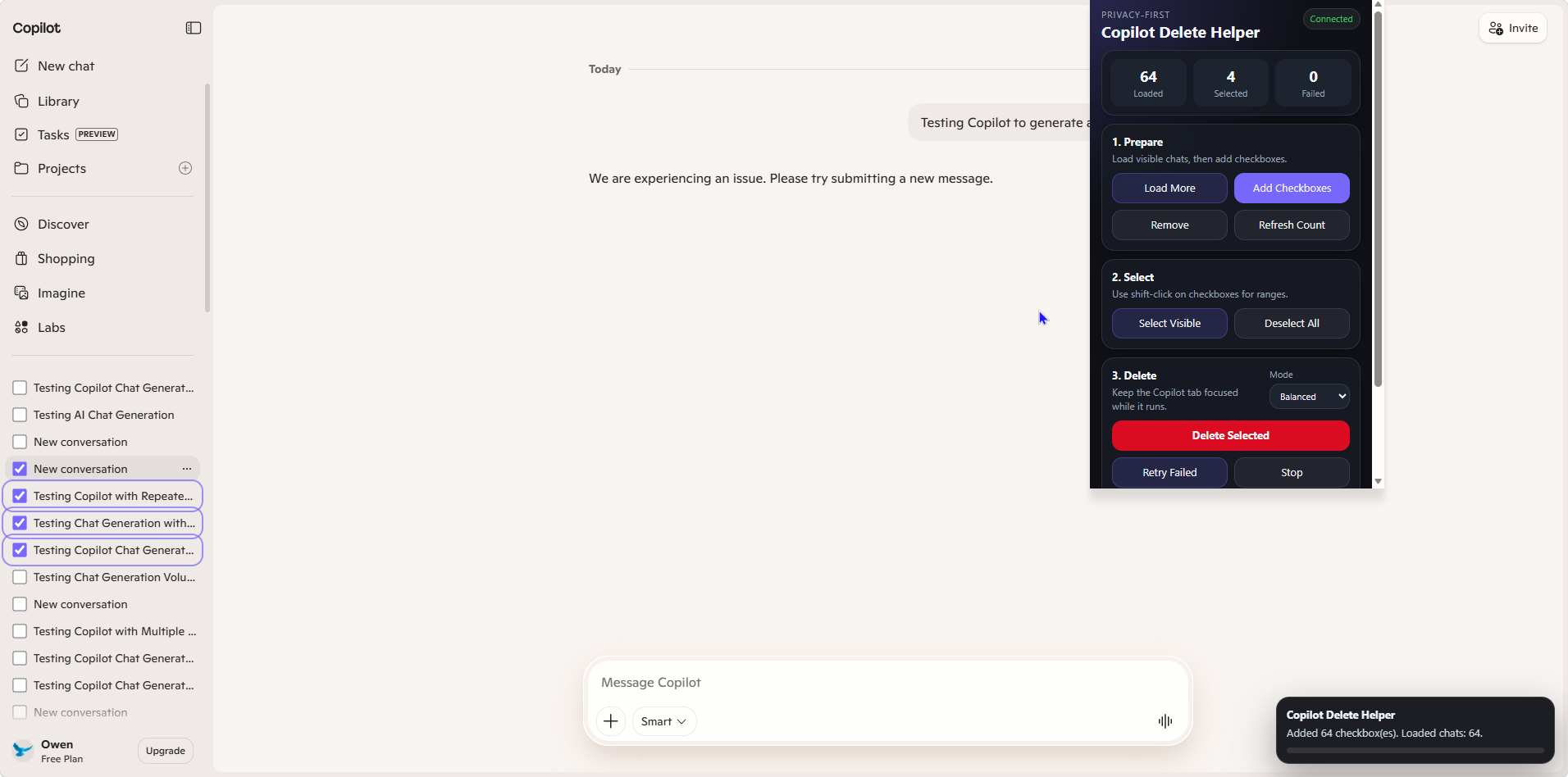
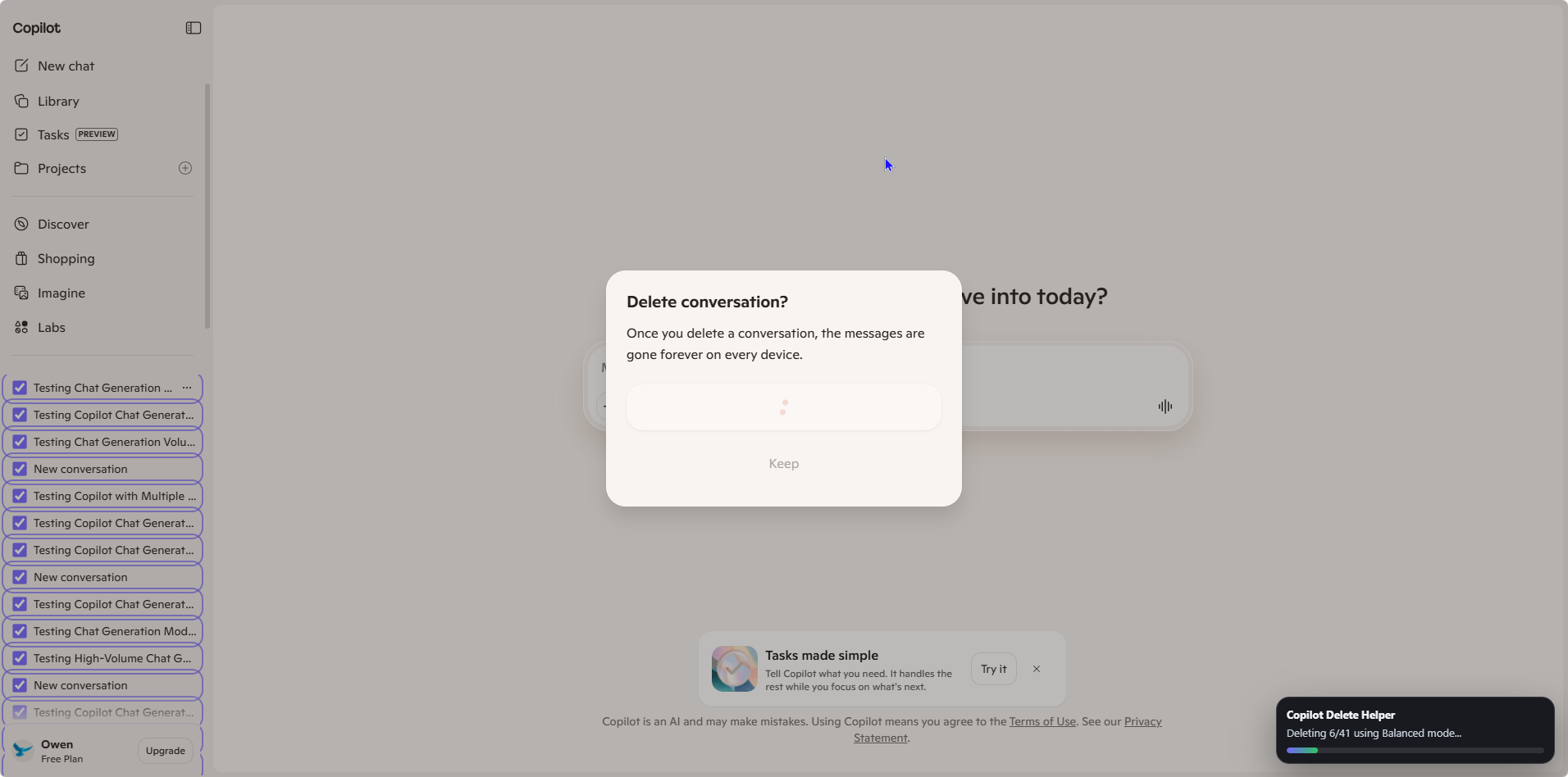
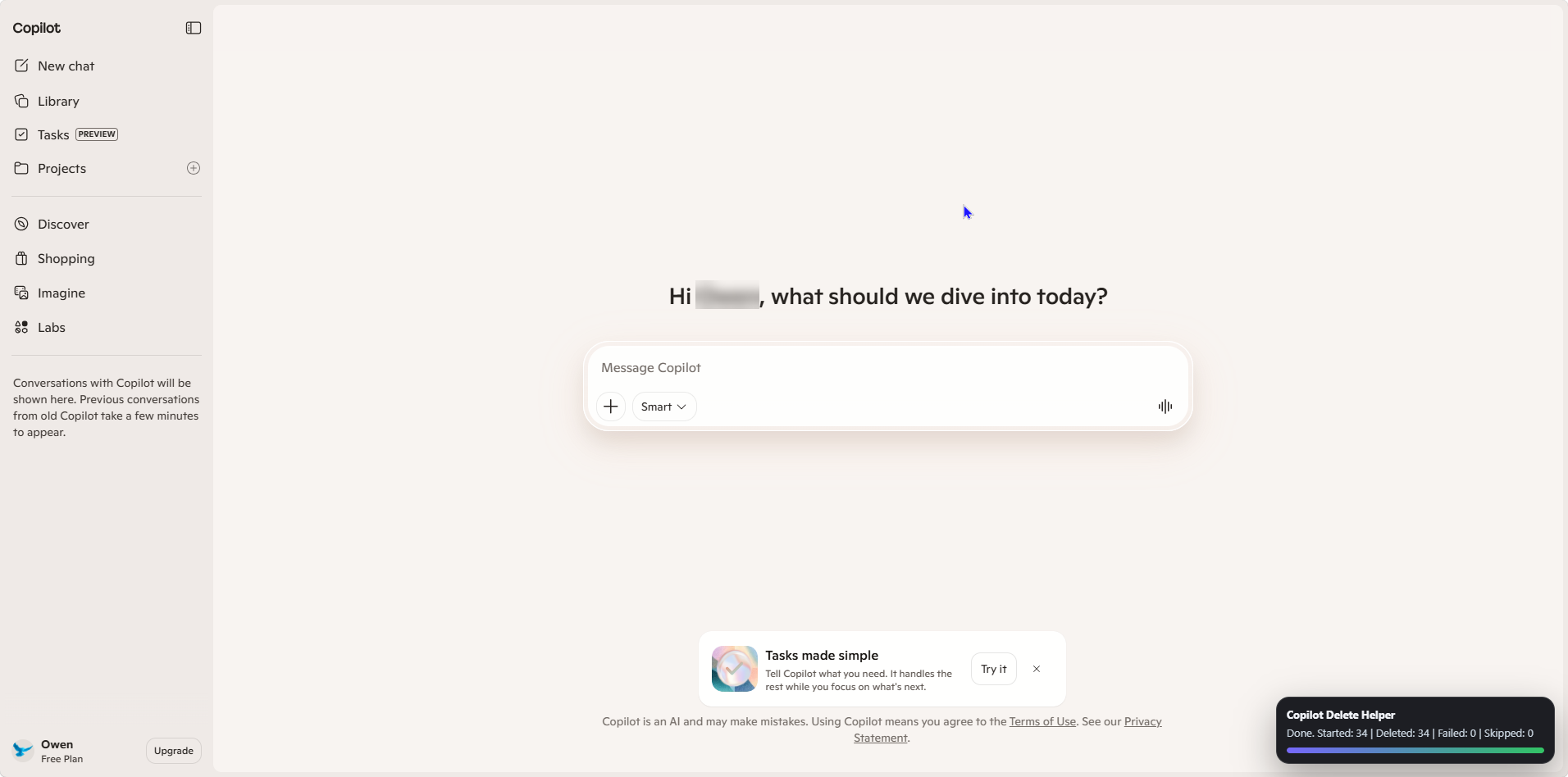

Load and prepare chats
Navigate to Copilot and scroll to load conversations. Click "Add Checkboxes" to begin selecting.
What it does
Everything you need to clean up faster
Purpose-built features for Copilot users who want to take control of their conversation history.
Bulk Delete Chats
Select and remove multiple Copilot conversations at once instead of deleting them one by one.
Select Visible Conversations
Checkboxes appear on each loaded conversation so you can pick exactly which ones to remove.
Shift-Click Range Selection
Hold Shift and click to select a range of conversations instantly — no need to check each one.
Fast, Balanced & Safe Modes
Choose your preferred deletion speed. Fast is quick, Balanced is steady, Safe is careful.
Retry Failed Deletions
If a deletion fails due to a UI hiccup, the extension will automatically retry it.
Live Progress Overlay
A real-time overlay shows how many chats have been deleted and how many remain.
Local-Only Operation
Everything runs entirely in your browser. No data ever leaves your machine.
Minimal Permissions
The extension requests only the permissions it needs to interact with the Copilot page.
Stays entirely in your browser
Copilot Delete Helper is designed to run locally in your browser. It does not collect, transmit, sell, or store your conversations or personal data.
Read the full privacy policy- No telemetry
- No analytics
- No external servers
- No account access
- No hidden or private APIs
- Uses only visible Copilot UI interactions
Simple by design
How it works
Three straightforward steps. No setup, no accounts, no configuration.
Open Copilot and load your chats
Navigate to Microsoft Copilot and scroll through the sidebar to load the conversations you want to clean up. The extension works with what is visible on the page.
Select the conversations to delete
Checkboxes appear on each loaded chat. Click individual ones, or hold Shift to select a range. You stay in full control of what gets removed.
Run deletion and let it work
Hit the delete button and the extension handles the visible Copilot delete flow for each selected chat. A live progress overlay keeps you informed.
Good to know
A few things to be aware of before using the extension.
Works with visible and loaded chats
The extension can only interact with conversations that have been loaded on-screen. Scroll through your sidebar to load more before running a bulk delete.
Keep the Copilot tab focused
For best results, keep the Copilot tab active and in the foreground while deletion is running. Switching tabs may slow down or interrupt the process.
UI changes may require updates
Since the extension interacts with the visible Copilot interface, changes to the Copilot UI may occasionally require an extension update to maintain compatibility.
Not affiliated with Microsoft
Copilot Delete Helper is an independent utility. It is not affiliated with, endorsed by, or connected to Microsoft in any way.
Clean up Copilot faster.
A simple utility for anyone who uses Copilot and wants a better way to manage chat clutter.
No account required. No data collected.